How to Re-Authorize Blackbaud
If you notice that your BrightArrow lists are no longer updating from Blackbaud, you may need to re-authorize the connection to allow BrightArrow to use the SKY API.
- Login to BrightArrow Revere as an Admin.
- Navigate to the Contact Lists tab in your navigation panel.
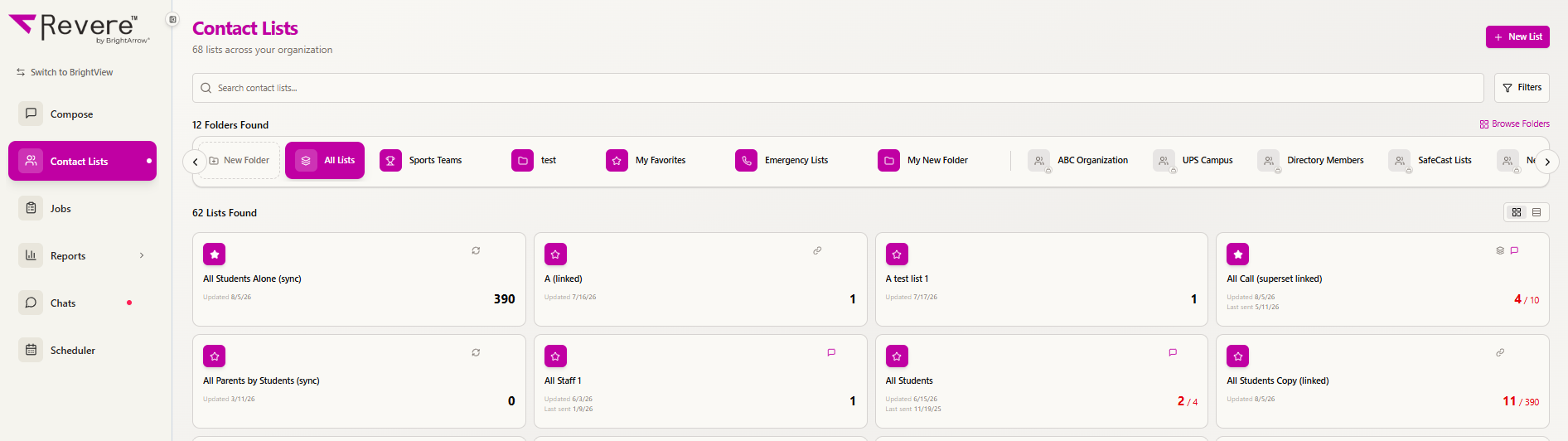
- Click on a list that has the word (sync) after the list's name. You can use the Filters option to narrow results to show only (sync) lists. (Sync) lists are the lists that BrightArrow uses to receive data from Blackbaud directly.
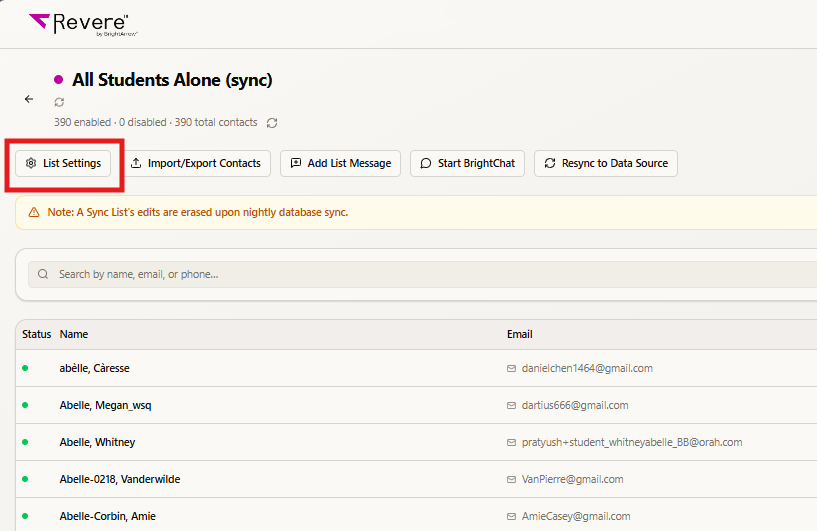
- Clicking on a list will show the list's details. Click the List Settings button at the top of the page.
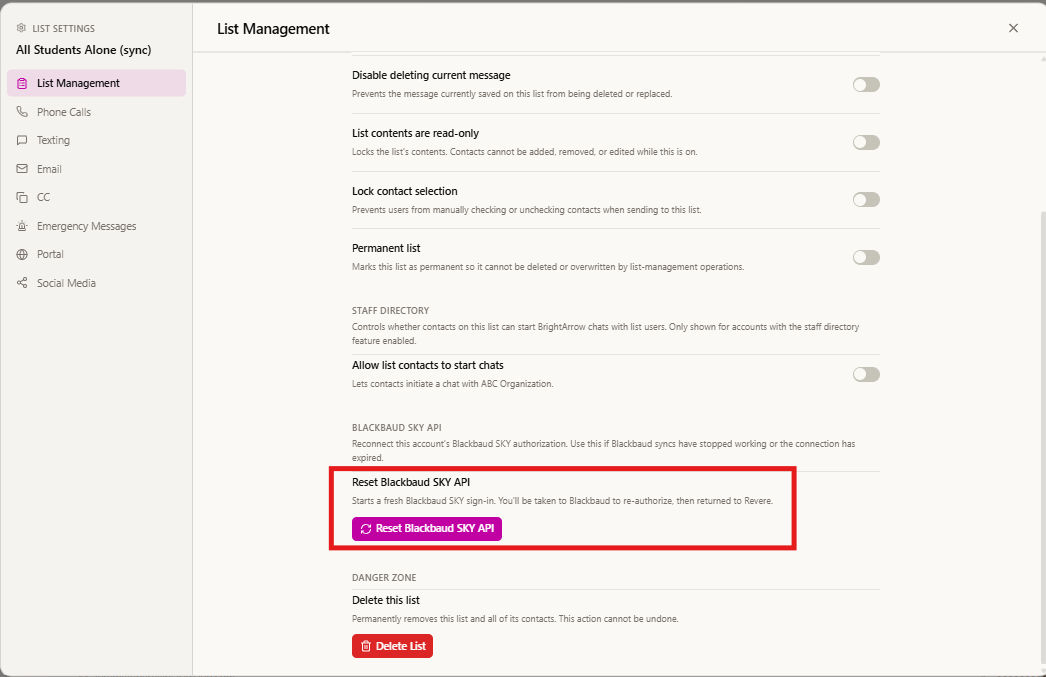
- The list's settings will open in the List Management tab by default. At the bottom of the window click Reset Blackbaud SKY API.
- You will then be prompted to sign in to Blackbaud. See here for additional help following the prompts. Once signed in, if everything is successful, you will see this:
- When you click “Close” you will be brought back to the BrightArrow. Once all of the above steps are complete, please contact our support so we can test your setup and make sure your data is loading as expected.

Possible Errors
If you get the following error, the reset may not have completed successfully:
- Please contact gettechsupport@brightarrow.com for further assistance.

-
This is another error that could occur, please contact support if you run into it:
