How to See who Has Read a Chat in Revere
If you sent a Chat message you can find out who has seen the message in Revere.
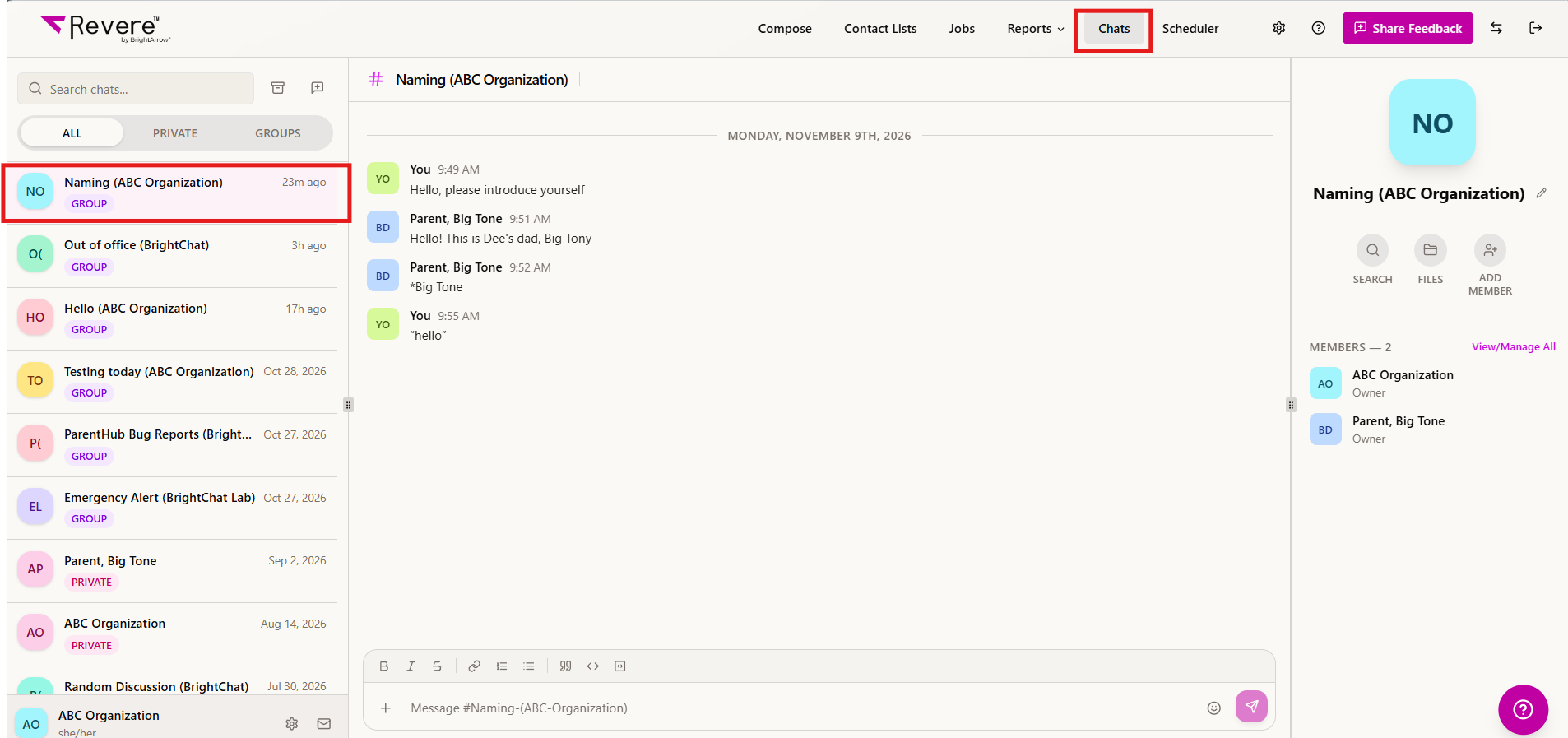
- In your Revere navigation panel, go to Chats.
- Find the Chat conversation you wish to review in the column on the left and click on it to reveal the conversation.
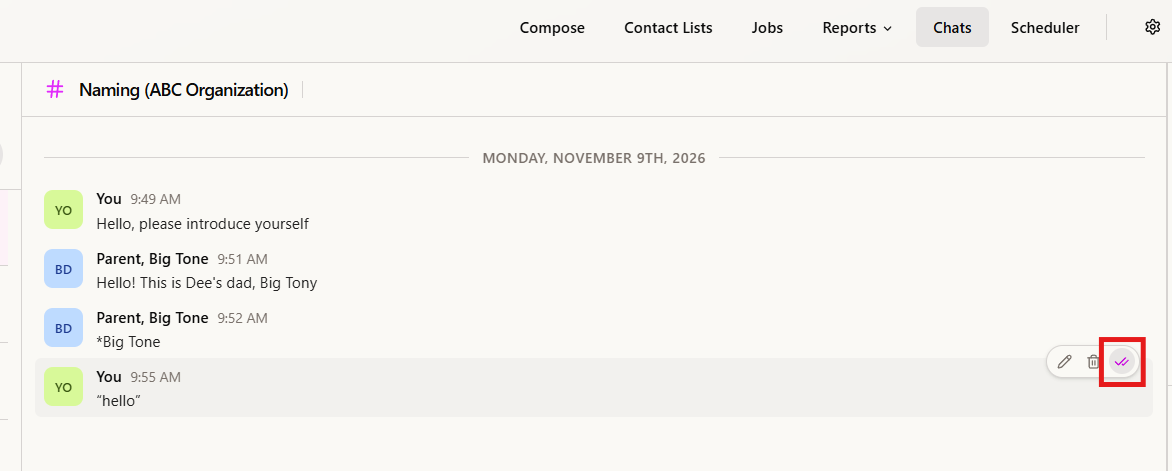
- In the conversation, hover over the specific message you sent that you would like to see read receipts for. Some icons will appear to the right of the message. Click on the checkmark icon.
- A window will pop-up showing which members of the Chat conversation have seen the message, along with a date/time stamp of when they last viewed it.
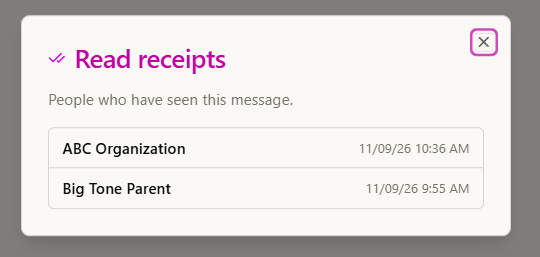
- "X" out of the window when you're finished viewing the read receipts.
