How to Delete a Chat Message
If you sent a Chat message but now want to delete it, you can remove the message from the Chat conversation through BrightArrow Revere.
*Note that you can only delete a message you sent. You cannot delete a message sent by someone else.
- In your Revere navigation panel, go to Chats.
- Find the Chat conversation you wish to review in the column on the left and click on it to reveal the conversation.
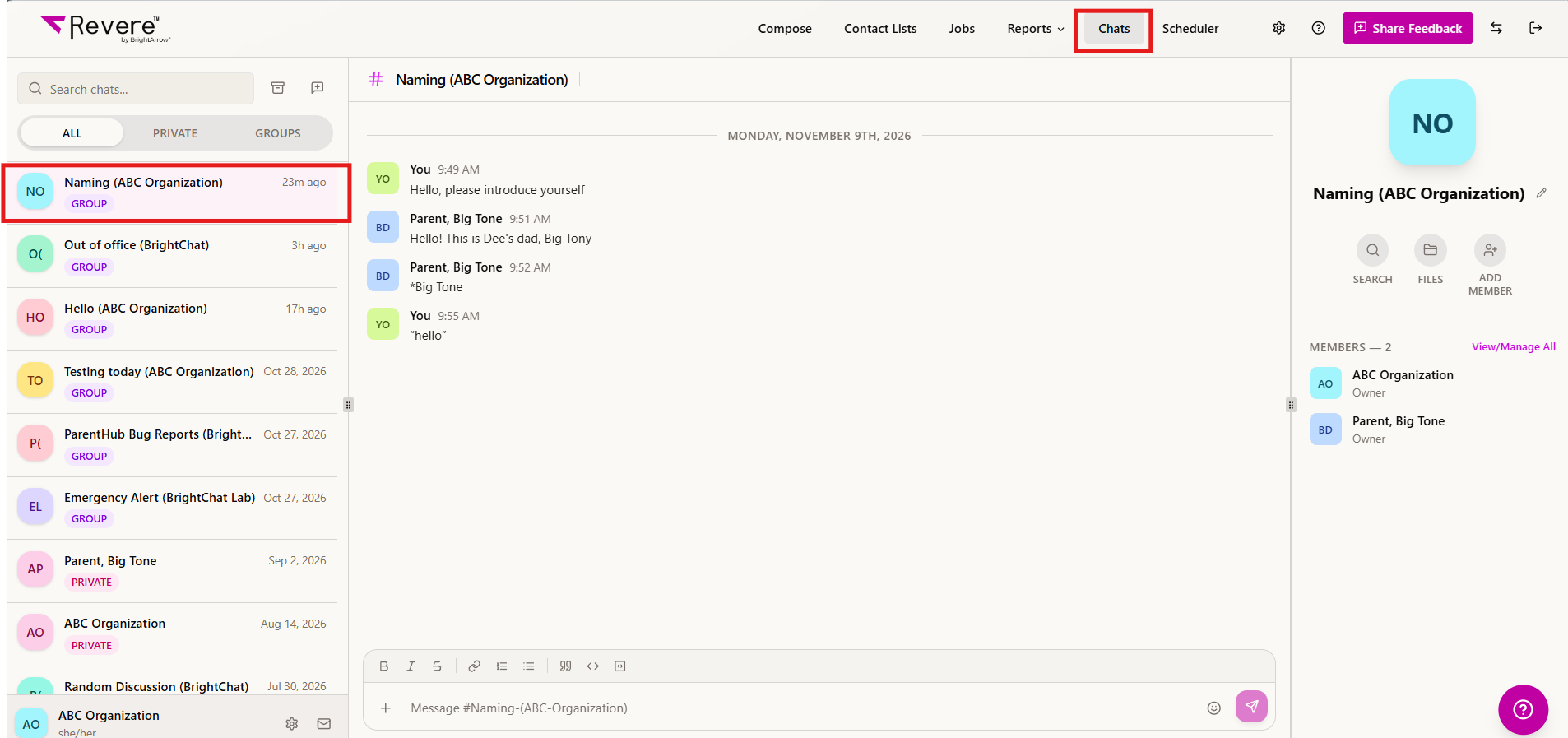
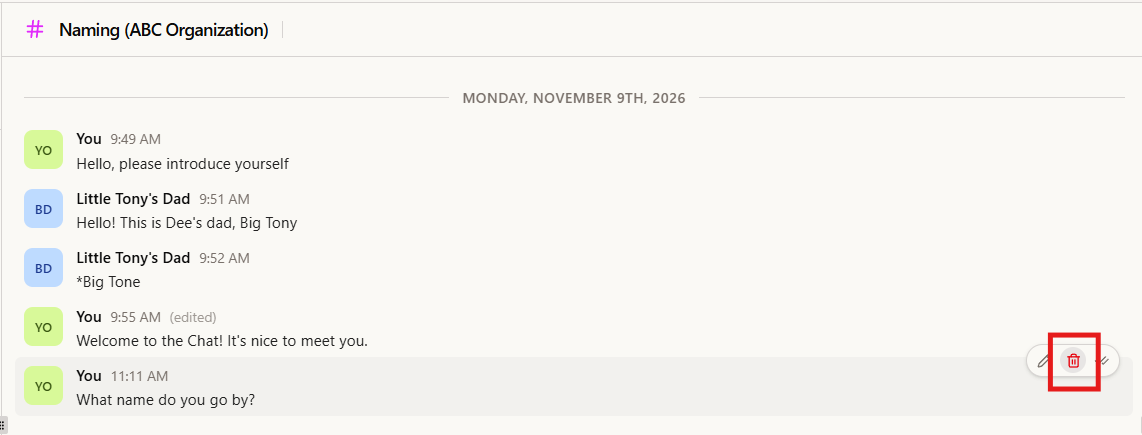
- In the conversation, hover over the specific message you sent that you would like to delete. Some icons will appear to the right of the message. Click on the trash can icon.
- Confirm if you would like to delete the message from the Chat conversation by clicking Yes or No respectively.
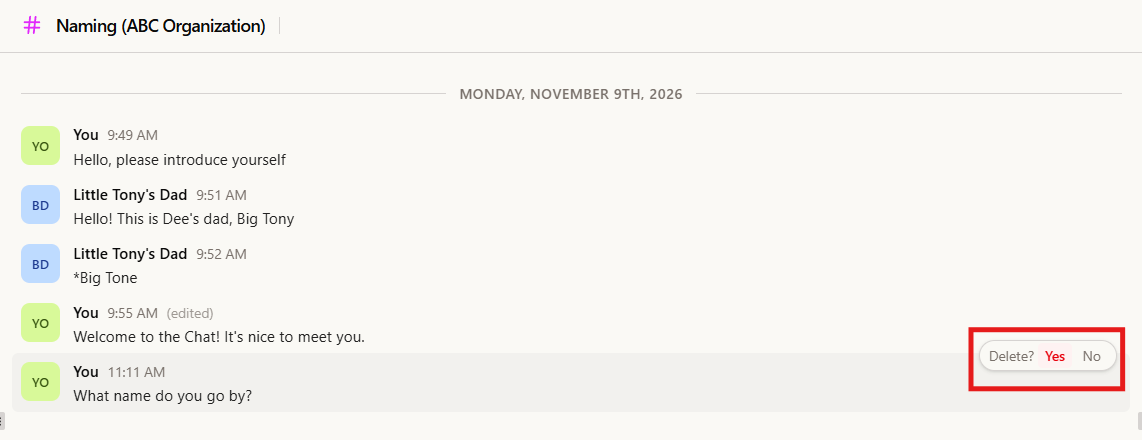
- Clicking Yes will delete the Chat message. Members of the conversation will no longer see it in the conversation feed.
*Note that someone may have already seen the message but once they go back to the conversation after you deleted the message they will no longer see it.
*Administrators will still be able to see the deleted message via the BrightChat Logs Report.
