Automation Examples for Attendance, Fees, Grading, and Health
Attendance:
Customize attendance filters to send recipients the information you want them to receive regarding current day or multi-day attendance. Rules are set through the attendance filter settings. Examples are shown below.
| PQ Name | Purpose | Sample Output |
|---|---|---|
| BrightArrow Attendance Meeting - Frequency by Section Summary - from Filter 1 (or Filter 2) | Automatically send home detailed fee information to parents/guardians with individual fee information in addition to the current balance | 
|
| BrightArrow Attendance Meeting - Frequency by Section Summary for GLL - from Filter 1 (or Filter 2) | Send the staff who are grade level leaders all of the students who reached one of the multi day attendance thresholds in a single message | 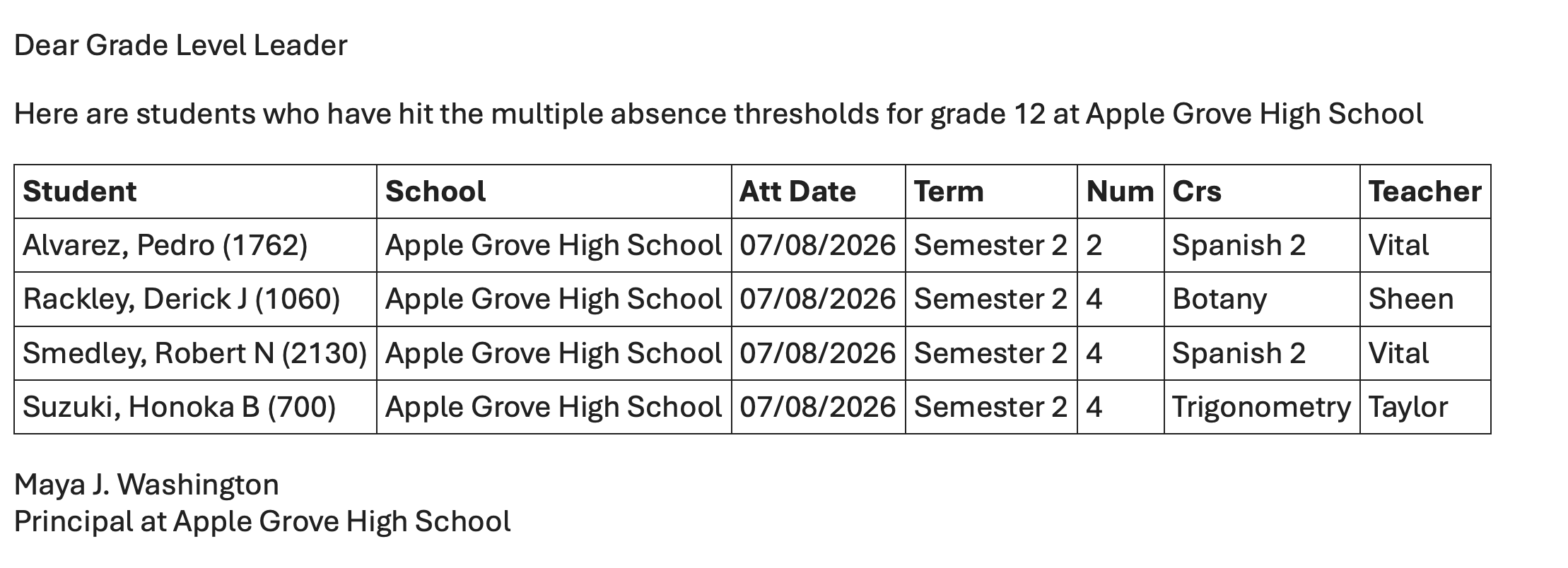 |
| BrightArrow Attendance Meeting - Frequency by Section Summary for Advisors - from Filter 1 (or Filter 2) | Send the staff who are advisors all of their students who reached one of the multi day attendance thresholds in a single message | 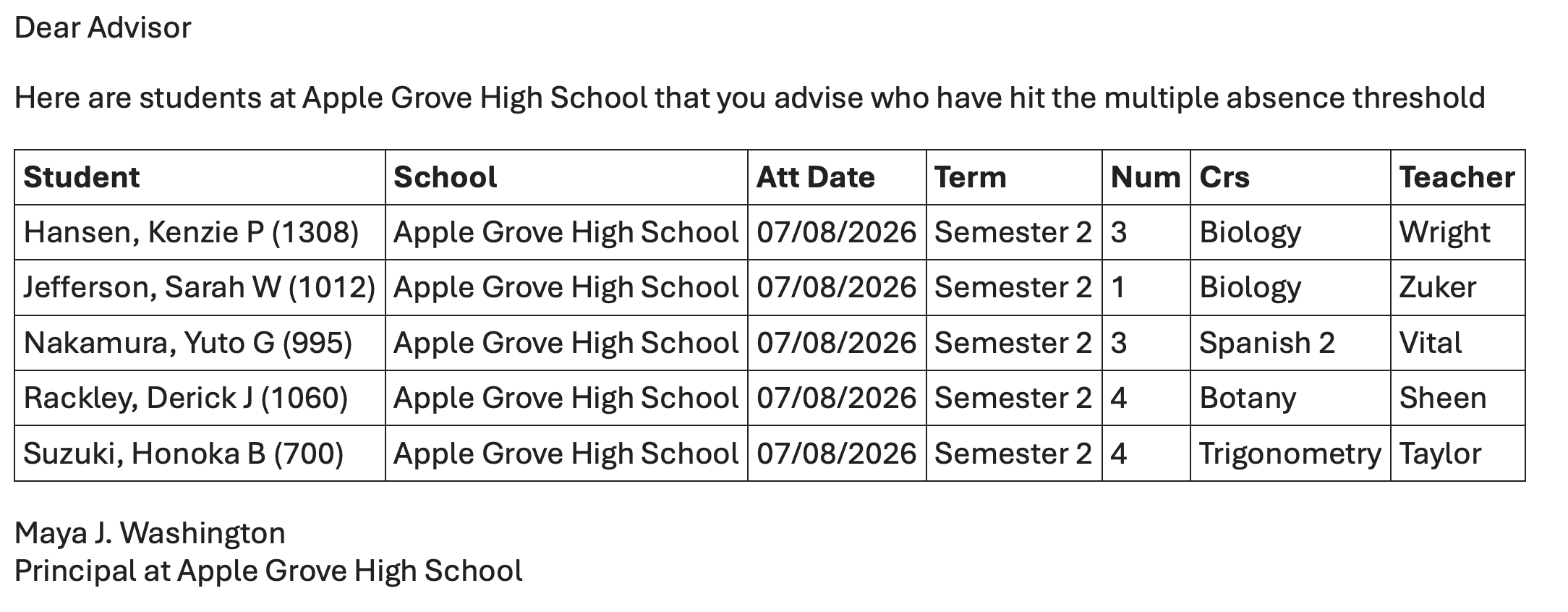 |
Grades:
Customize grade/missing assignment filters to send recipients the information you want them to receive regarding assignments and grading. Rules are set through the grading filter settings. Examples are shown below.
| PQ Name | Purpose | Sample Output |
|---|---|---|
| BrightArrow Missing Assignments Summary | Automatically send home detailed fee information to parents/guardians with missing assignments all in 1 message instead of multiple messages | 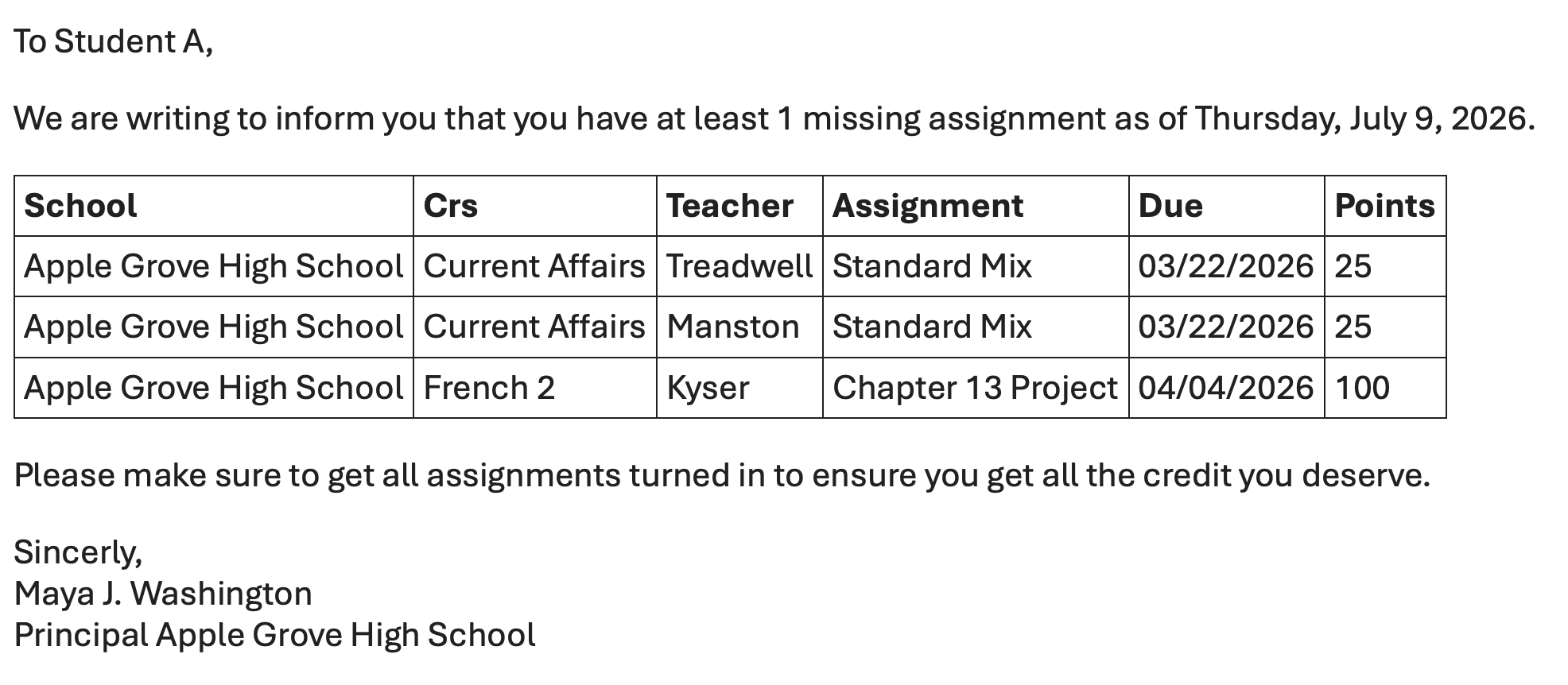 |
| BrightArrow Grade Diary | Send home information about the students progress in a term for all classes in 1 email | 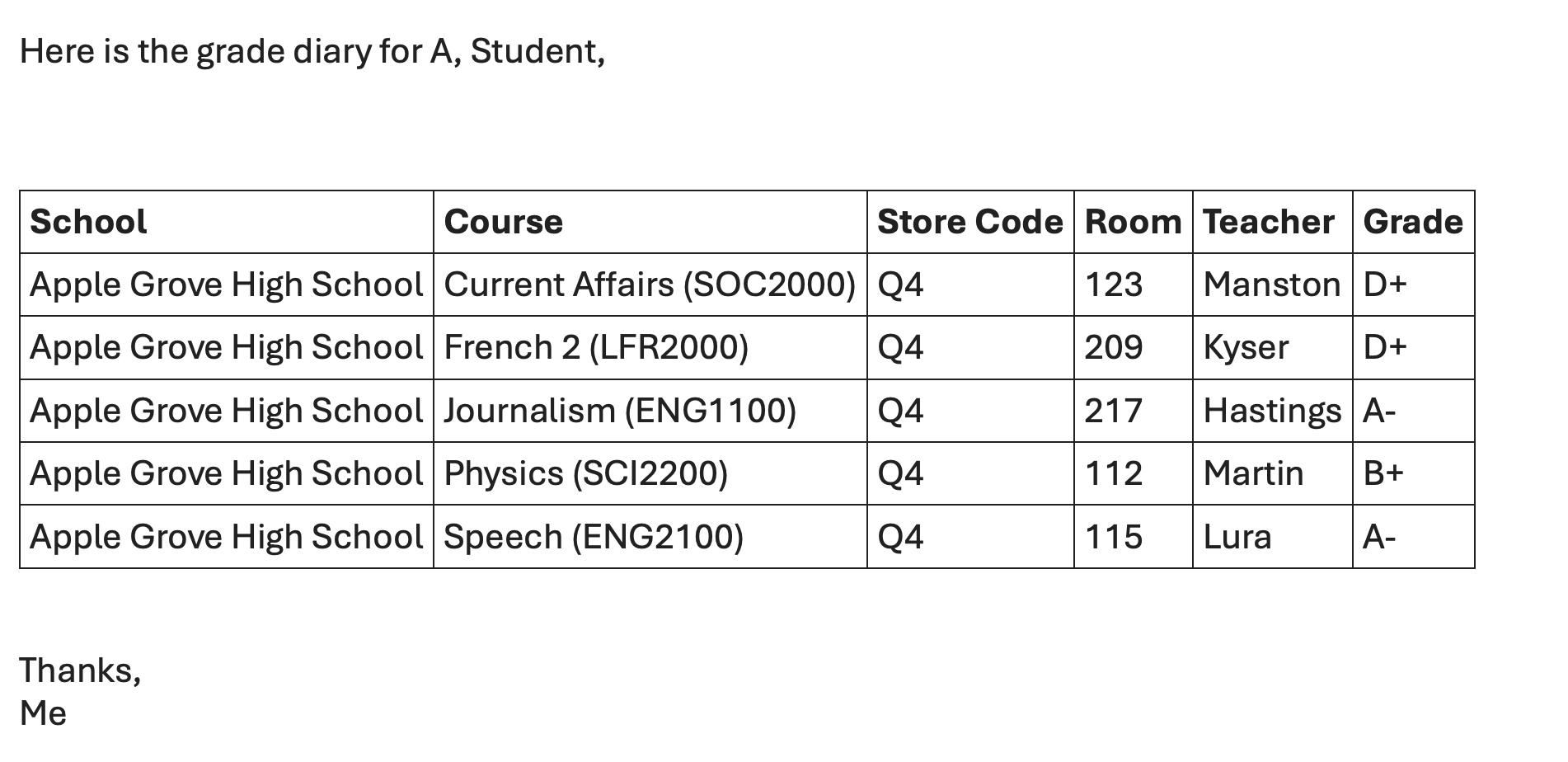 |
|
|
|
Fees:
Customize fees/lunch balance filters to send recipients the information you want them to receive regarding fees. Rules are set through the fees filter settings. Examples are shown below.
| PQ Name | Purpose | Sample Output |
|---|---|---|
| BrightArrow Fee Balances with Fee List | Automatically send home detailed fee information to parents/guardians with individual fee information in addition to the current balance | 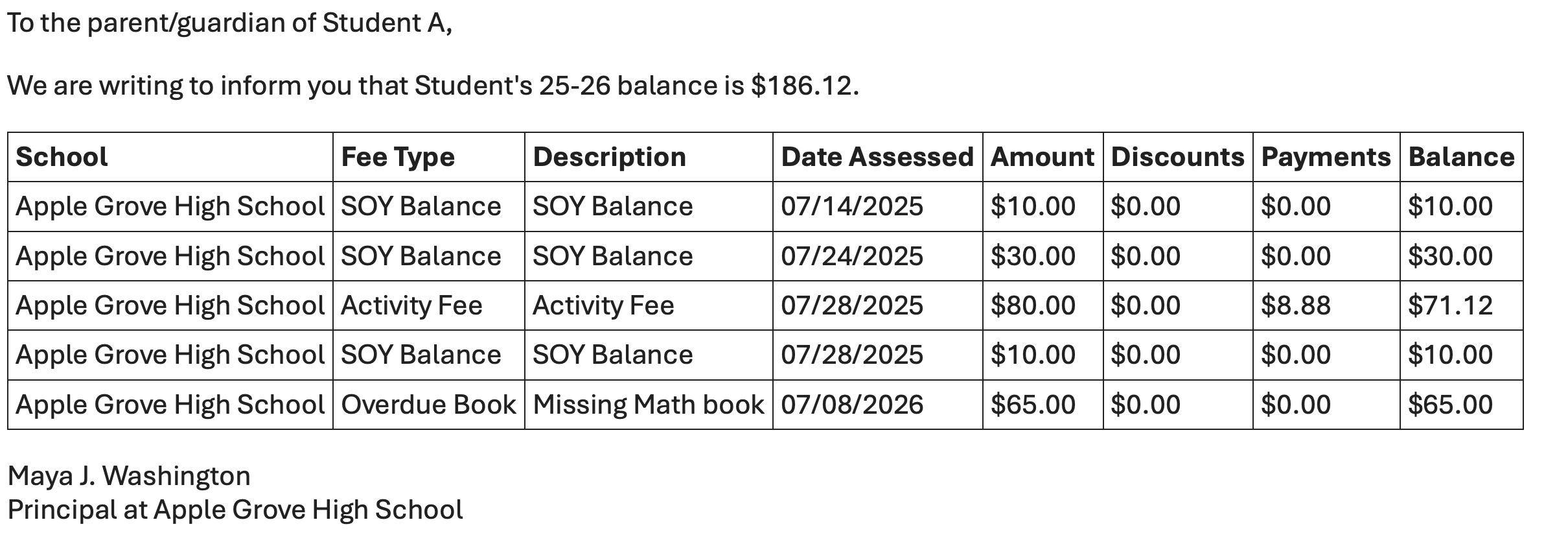 |
Health Office Visits:
Customize health filters to send recipients the information you want them to receive regarding health office visits. Rules are set through the health filter settings. Examples are shown below.
| PQ Name | Purpose | Sample Output |
|---|---|---|
| BrightArrow Health Office Visits | Automatically send home detailed health office visit information to parents/guardians when their student has visited the health office. Can be run multiple times a day |